Nav4AI
AllVideoVideo Object Remover
Video Object Remover

Video Object Remover

AI tool for removing unwanted objects from videos

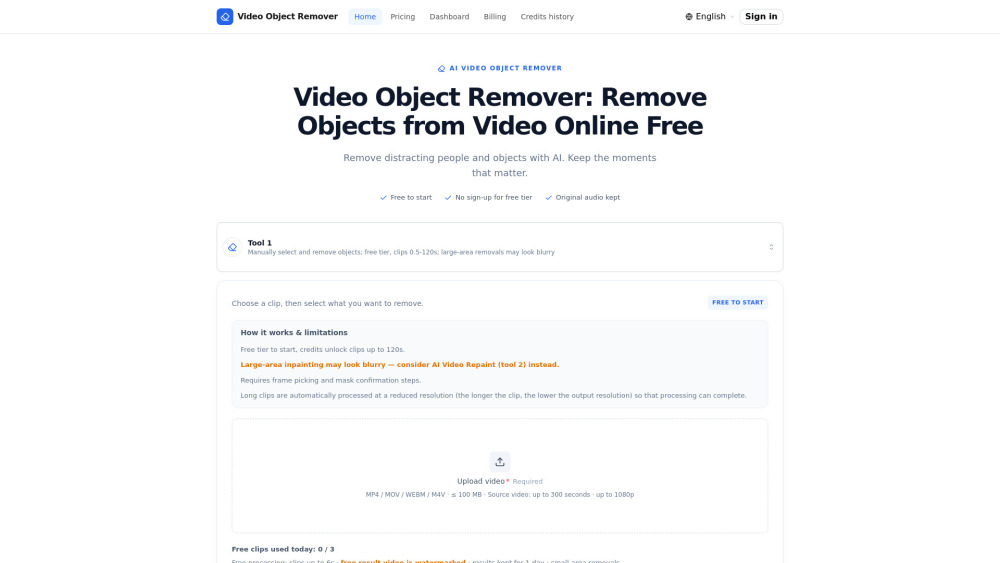
Video Object Remover screenshot

Reviews of Video Object Remover

4.1
Pro

Great for quickly erasing passers-by, logos, or timestamps from short clips in the browser without opening a full video editor.

Con

The free tier is more of a teaser trailer: 6-second watermarked clips won’t carry much of your editing workload.

Introduction

Video Object Remover is a handy browser tool for cleaning up footage without opening a full editor. It lets creators, marketers, and casual users erase distracting people, objects, logos, timestamps, or authorized watermarks, then rebuilds the background while keeping the original audio. Free short clips make it easy to test.

What is the most typical application scenario of Video Object Remover?

A social media creator can use Video Object Remover to erase passers-by or distracting objects from short clips in the browser, producing cleaner posts without a full video editor.

Features of Video Object Remover

    Remove selected people, objects, logos, timestamps, or allowed watermarks

    AI inpaints video backgrounds across frames while preserving audio

    Browser-based workflow with free short-clip processing and no signup

    Paid credits unlock longer exports and watermark-free downloads

    Text-based repaint mode can regenerate scenes without manual masking

Use cases for Video Object Remover

    Clean travel clips by removing passers-by or distracting background items

    Edit owned videos to remove logos, timestamps, or permitted watermarks

    Prepare short social or marketing clips with cleaner visuals

    Fix simple footage issues without installing professional editing software

Pricing info of Video Object Remover

Freemium

Public pricing information collected from the official website.

removeobjects.video Pricing

Free

$0
  • Try it in the browser — no account or card needed
  • Upload and process without an account
Limits: Short clips with watermark, daily usage limit · Small-area removals on the fast tier · Three short clips up to 6 seconds per day · Free-tier processing never consumes credits

Starter

$2.99 / 2 credits
  • No watermark
  • AI video repaint (tool 2)
Limits: 2 credits · ≈ 2 standard videos · Credits unlock clips up to 120 seconds and watermark-free standard output

Standard

$6.99 / 7 credits
  • No watermark
  • AI video repaint
Limits: 7 credits · ≈ 7 standard videos · Credits unlock clips up to 120 seconds and watermark-free standard output

Basic

$9.99 / 12 credits
  • No watermark
  • AI video repaint
Limits: 12 credits · ≈ 12 standard videos · Credits unlock clips up to 120 seconds and watermark-free standard output

Pro

$24.99 / 36 credits
  • No watermark
  • AI video repaint
Limits: 36 credits · ≈ 36 standard videos · Credits unlock clips up to 120 seconds and watermark-free standard output

Enterprise

$49.99 / 84 credits
  • No watermark
  • AI video repaint
Limits: 84 credits · ≈ 84 standard videos · Credits unlock clips up to 120 seconds and watermark-free standard output

Last checked Oct 15, 2026. Visit the official website for the latest terms.