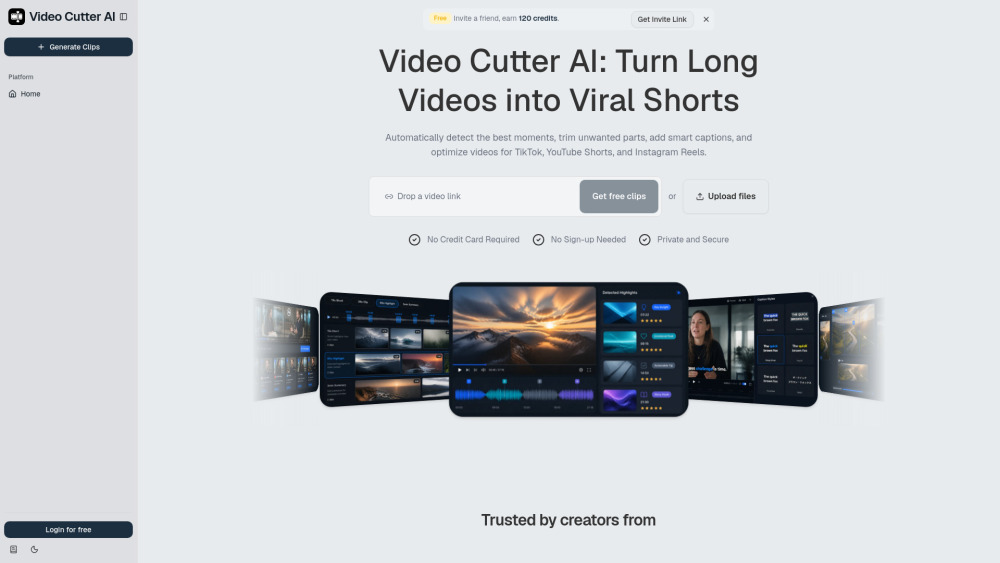
Video Cutter AI makes it easy to turn long recordings into captioned vertical clips without sign-up, watermark hassles, or manual trimming marathons.
Video Cutter AI
Turn Long Videos into Shorts with AI, Free Online, No Watermark, Unlimited & No Sign-up.

Reviews of Video Cutter AI
The free promise is shiny, but the credit invite note makes “unlimited” feel like it may have an asterisk wearing sunglasses.
Introduction
Video Cutter AI is a handy repurposing tool for turning long recordings into short, social-ready clips. It finds highlight moments, trims pauses, adds captions, and reframes videos for Shorts, Reels, and TikTok. It’s especially useful for podcasters, YouTubers, educators, and marketers who want more clips without editing for hours.
What is the most typical application scenario of Video Cutter AI?
A YouTuber can use Video Cutter AI to turn long uploads into captioned vertical Shorts, quickly publishing social clips without hours of manual editing.
Features of Video Cutter AI
Finds strong moments in long videos and turns them into short clips
Adds automatic captions for sound-off social viewing
Reframes footage into vertical layouts for Shorts, Reels, and TikTok
Cuts silence and filler words to keep clips tighter
Scores clips to help spot segments with higher engagement potential
Use cases for Video Cutter AI
Podcasters can clip standout stories and guest insights from full episodes
YouTubers can repurpose long uploads into Shorts for extra reach
Educators can turn lectures and tutorials into bite-sized lesson clips
Coaches can convert webinars and sessions into social media snippets
Agencies can produce short-form clips for multiple client channels
Pricing info of Video Cutter AI
FreePublic pricing information collected from the official website.
Free
- Cut long videos into shorts online
- No watermark
- Unlimited
- No sign-up needed
- No credit card required
- AI highlight detection
- Viral score
- Smart captions
Last checked Aug 31, 2026. Visit the official website for the latest terms.