Nav4AI
AllAudioVerli
Verli

Verli

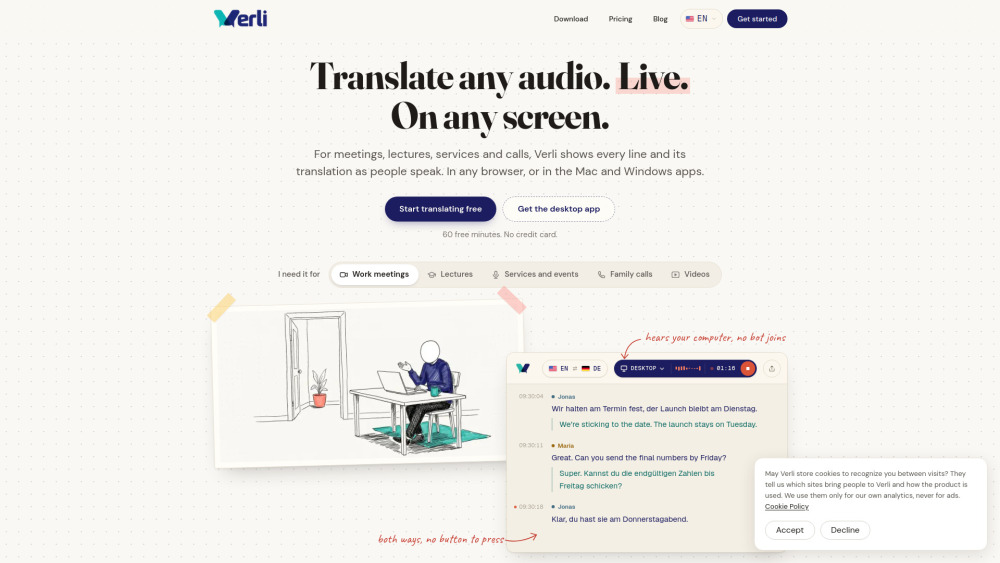
Live transcription and two-way translation for meetings, calls, and videos.

Verli screenshot

Reviews of Verli

4.2
Pro

Verli makes multilingual calls feel manageable with live captions, two-way translation, shared viewer links, and summaries afterward.

Con

The 10-hour cap on paid solo plans feels stingy—great for meetings, less great if your calendar speaks fluent overtime.

Introduction

Verli is a handy live captioning tool for anyone working across languages. It transcribes meetings, calls, lectures, and videos in real time, then shows two-way translations without adding a bot to your call. I’d see it fitting remote teams, students, event hosts, and travelers who need fast understanding plus transcripts and summaries afterward.

What is the most typical application scenario of Verli?

A remote team member can use Verli during Zoom or Teams calls to read live translated captions and leave with a transcript and summary for faster follow-up.

Features of Verli

    Live captions and two-way translations across 60+ languages

    Captures mic, browser tab, or full computer audio on desktop

    Detects each speaker’s language without manual switching

    Share viewer links so others can follow translated captions

    Floating desktop captions, spoken playback, and AI summaries

Use cases for Verli

    Join Zoom, Meet, or Teams calls when speakers use another language

    Follow university lectures or classes while studying abroad

    Watch foreign-language videos, streams, or webinars with live translation

    Provide translated captions for conferences, services, or events

    Save transcripts and summaries for post-meeting review

Pricing info of Verli

Freemium

Public pricing information collected from the official website.

verli.app Pricing

Free

$0/none
  • No credit card needed
  • 60+ languages for real-time two-way translation
  • Automatic speaker-language detection, no button switching
  • Your data is never used to train AI
  • Available on web, Mac, and Windows
  • Bring meetings, classes, and streams into one transcript
Limits: 60 minutes of real-time translation upon sign-up · Share live viewer links with up to 3 people at a time

Standard

$7.99 / month
  • Everything in Free
  • Read translations aloud during live conversations
  • Translated voices that match each speaker's gender and stay consistent across the whole conversation
  • AI-generated meeting summaries
Limits: 10 hours of live transcription and translation each month · Share live viewer links with up to 3 people at a time

Premium

$19.99 / month
  • Everything in Standard
  • More natural, synchronous real-time voice translation
  • Priority support
Limits: 10 hours of live transcription and translation each month · Share live viewer links with up to 10 people at a time

Group 15

$49.00 / month
  • One account runs the session, and up to 50 people follow the live translation on their phones by QR code or link, with no app or account
Limits: 15 hours a month, enough for about 3 hours every week

Group 30

$99.00 / month
  • One account runs the session, and up to 50 people follow the live translation on their phones by QR code or link, with no app or account
Limits: 30 hours a month, enough for about 7 hours every week

Event day

$149.00 one time/one_time
  • For a conference, workshop or community event
  • One account runs the session, and up to 50 people follow the live translation on their phones by QR code or link, with no app or account
Limits: 10 hours to use within 7 days

Last checked Nov 1, 2026. Visit the official website for the latest terms.