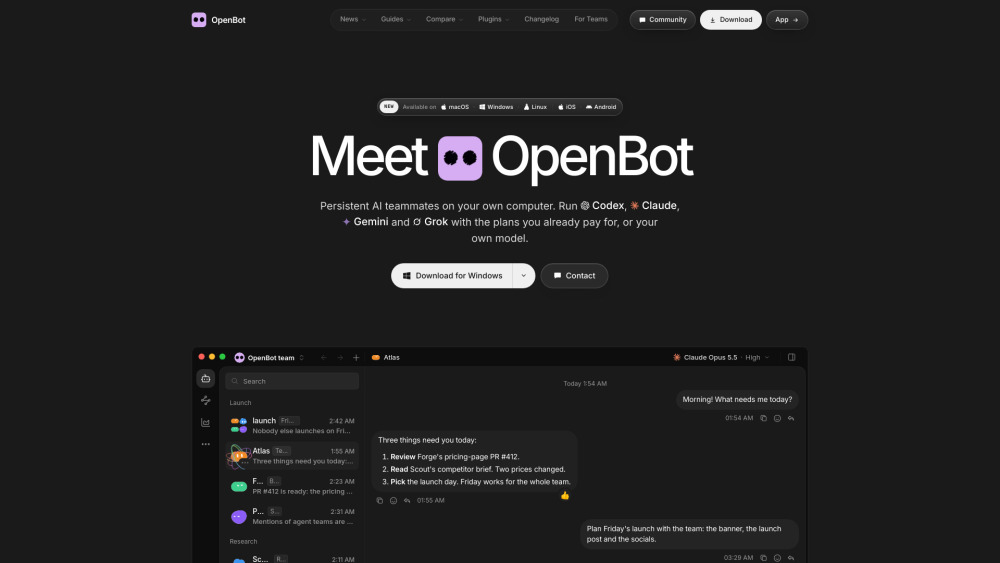
OpenBot makes multi-agent work feel organized, with separate roles, workspaces, file sharing and handoffs in one desktop control room.

OpenBot
A desktop workspace for teams of AI agents
Reviews of OpenBot
The paid hosted plans skip AI model access, so the control room may arrive before the engines are installed.
Introduction
OpenBot turns your desktop into a control room for multiple AI agents. You can give each agent its own role, workspace and model, then let them message, share files, browse the web and hand off work. It’s a strong fit for developers, consultants and small teams that want to delegate research, coding and admin without stitching tools together.
What is the most typical application scenario of OpenBot?
A small dev team can use OpenBot to assign coding and review work to specialized AI agents, reducing manual handoffs and speeding delivery.
Features of OpenBot
Create multiple agents with separate roles, instructions and workspaces
Agents can chat, pass tasks, review outputs and exchange files
Works with major AI providers, compatible endpoints and local models
Stores conversations, files and browser data on the desktop machine
Built-in browser and task queue keep agent work moving
Use cases for OpenBot
Assign coding work to one agent and route changes to another for review
Research topics, gather notes and prepare project briefs with agents
Coordinate AI-assisted workflows across a small business or consultancy
Run browser-based routines on a hosted server for team access
Pricing info of OpenBot
PaidPublic pricing information collected from the official website.
Starter
- OpenBot hosted Linux server
- Hosted servers run in the EU
- Agents’ workspaces, conversations, and files stay on the server
- Can connect to your team from another device
Standard
- OpenBot hosted Linux server
- Hosted servers run in the EU
- Agents’ workspaces, conversations, and files stay on the server
- Can connect to your team from another device
Pro
- OpenBot hosted Linux server
- Hosted servers run in the EU
- Agents’ workspaces, conversations, and files stay on the server
- Can connect to your team from another device
Last checked Oct 26, 2026. Visit the official website for the latest terms.