Nav4AI
AllVideoObjectRemover
ObjectRemover

ObjectRemover

AI tool for removing unwanted objects from videos and photos

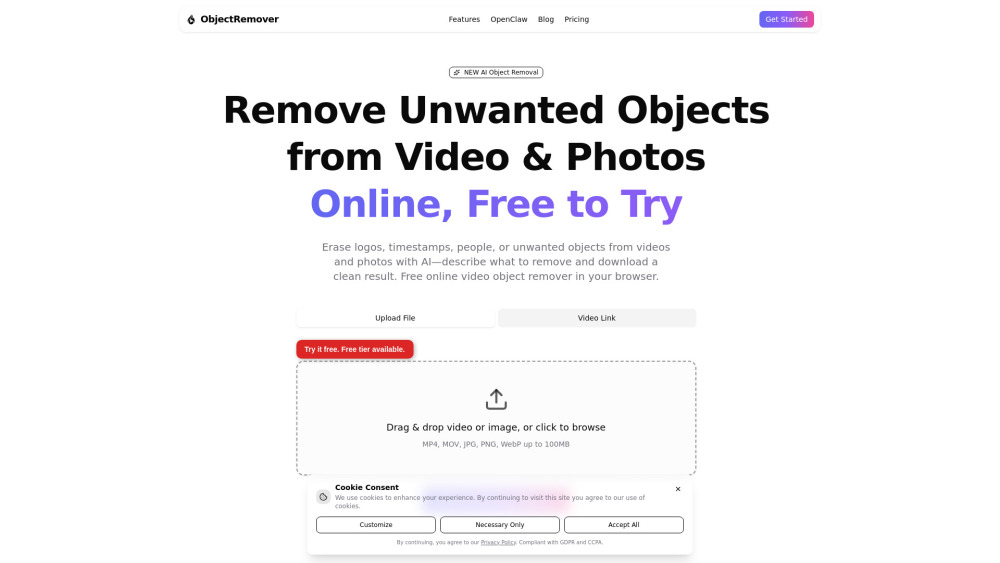
ObjectRemover screenshot

Reviews of ObjectRemover

4.1
Pro

ObjectRemover makes quick cleanup of photos and short clips feel simple, with prompt-based object removal and handy background filling in the browser.

Con

The credit math gets fuzzy fast, and heavy video edits may leave your wallet looking more erased than the photobomber.

Introduction

ObjectRemover is a handy browser tool for cleaning up photos and videos without opening a pro editor. Upload an image or MP4/MOV, tell the AI what to remove, and it tracks objects, people, logos, text, or clutter while filling the background. It’s useful for creators, marketers, and editors who need cleaner social clips, product shots, or travel footage fast.

What is the most typical application scenario of ObjectRemover?

A social media creator can use ObjectRemover to erase photobombers, logos, or clutter from clips before posting, producing cleaner content without a pro editor.

Features of ObjectRemover

    Remove unwanted objects from images and MP4/MOV videos

    Describe what to erase using natural language prompts

    Track selected people, logos, text, or clutter across video frames

    Fill removed areas with AI inpainting for cleaner backgrounds

    Extract subjects as transparent PNG assets

Use cases for ObjectRemover

    Clean photobombers or strangers from travel and event videos

    Remove editable logos, timestamps, signs, or text from owned media

    Tidy product photos by erasing distracting background objects

    Prepare cleaner clips for CapCut, Premiere Pro, or DaVinci Resolve

    Create transparent subject cutouts for thumbnails or social posts

Pricing info of ObjectRemover

Freemium

Public pricing information collected from the official website.

objectremover.video Pricing

Free

$0/forever
  • Remove objects from videos and photos in your browser
  • No credit card required
  • Upload and process without an account
  • AI object removal for short clips and images
  • Sign up anytime to unlock HD output and more credits
Limits: Forever free to try · Low-quality preview with daily usage limits

Pay as you go

From $3.23/pay per use
  • Buy just enough for one or two videos
  • Ideal for occasional one-off edits
  • Same HD quality options as larger packs
Limits: Pick 25, 30, 50, or 75 credits · 25–75 Credits · $0.129 per credit · About one medium-quality short video from 30 credits

Basic

$9.99/pay per use
  • Start removing objects from your videos and photos
  • Low / Medium / High quality options
  • Great for occasional projects and first-time buyers
Limits: 100 Credits · $0.099 per credit · ~8–10 short videos or batches of photos · Credits valid for 12 months

Premium

$29.99/pay per use
  • Our most popular pick for creators who edit regularly
  • Low / Medium / High quality options
  • Best balance of price and volume
Limits: 400 Credits · $0.075 per credit — save ~25% · ~15–20 medium-quality videos or batches of photos · Credits valid for 12 months

Enterprise

$99.99/pay per use
  • Maximum credits and 4K priority
  • Built for teams and heavy workflows
  • Lowest cost per credit in the lineup
  • 4K priority processing queue
  • Scale batch edits without worrying about running out
Limits: 1500 Credits · $0.066 per credit — lowest rate · Credits valid for 12 months

Last checked Aug 11, 2026. Visit the official website for the latest terms.