Nav4AI
AllCode & ITNodlume
Nodlume

Nodlume

Visual workspace for planning and scaffolding React applications

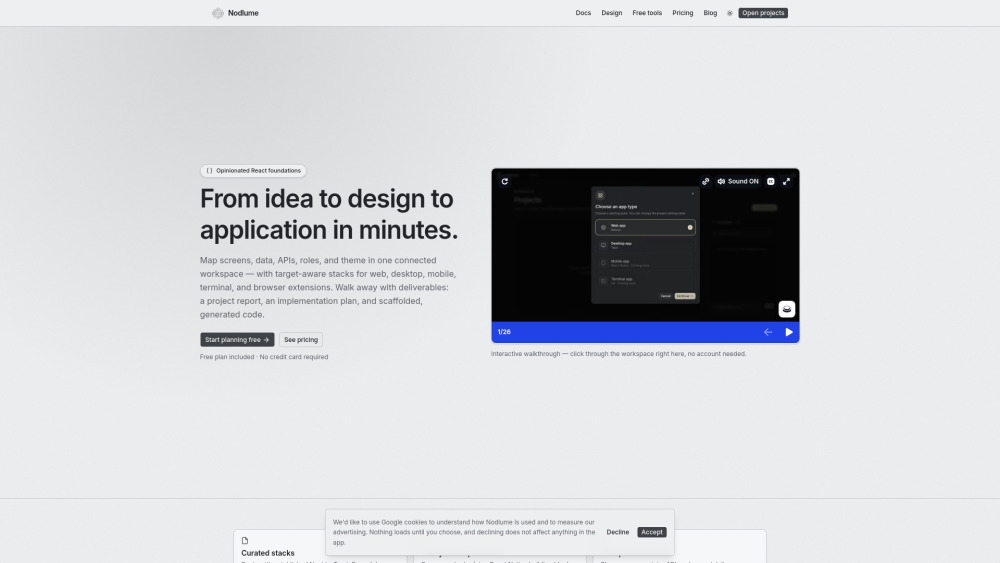
Nodlume screenshot

Reviews of Nodlume

4.1
Pro

Nodlume turns messy React planning into a clear visual model, then usefully converts it into reports, build steps, and starter scaffolds.

Con

Its value may fade if your team already plans in Figma and tickets, leaving Nodlume as a fancy map before the real hike begins.

Introduction

Nodlume is a visual workspace for planning React apps before writing code. It lets founders, product teams, and developers map screens, data, APIs, roles, themes, and routes in one connected model, then turn that plan into reports, implementation steps, and scaffolded code for stacks like Next.js, Expo, Tauri, and more.

What is the most typical application scenario of Nodlume?

A startup developer can use Nodlume to map a Next.js app’s screens, data, APIs, and routes before coding, then generate a build plan and starter code to move faster.

Features of Nodlume

    Visual editor for mapping React app structure and requirements

    Connect screens, data models, APIs, routes, roles, and security

    Stack-aware planning for Next.js, Expo, Tauri, Ink, and extensions

    Generate project reports, build plans, and starter code

    Define reusable UI primitives, themes, typography, and dark mode

Use cases for Nodlume

    Plan a Next.js app architecture before development starts

    Align product, design, and engineering around one app model

    Document screens, APIs, roles, and data flows for handoff

    Create reusable design tokens and UI references for React teams

    Scaffold early code from a validated application plan

Pricing info of Nodlume

Freemium

Public pricing information collected from the official website.

nodlume.dev Pricing

Free

$0
  • Explore the visual editor and start designing React apps.
  • Report generation
  • Shareable links for view-only mode
  • Top up any time with one-time credit packs
Limits: 3 documents · Unlimited nodes per document · Invite 1 collaborator per document — join unlimited · 50 AI credits each month

Starter

$10 per month/monthly
  • Room for every project, with a history of every change.
  • Everything in Free
  • Cloud-synced version history
Limits: Unlimited documents · Invite 3 collaborators per document · 500 AI credits each month

Plus

$20 per month/monthly
  • For people and teams designing production applications.
  • Everything in Starter
  • Host shared documents with unlimited collaborators
Limits: 2,000 AI credits each month — most actions cost 1

200 credits

$5 one-time/one-time
  • One-time top-ups on any plan — no subscription required.
  • Purchased credits never expire and are spent after your monthly allowance.
Limits: 200 credits

Last checked Sep 4, 2026. Visit the official website for the latest terms.