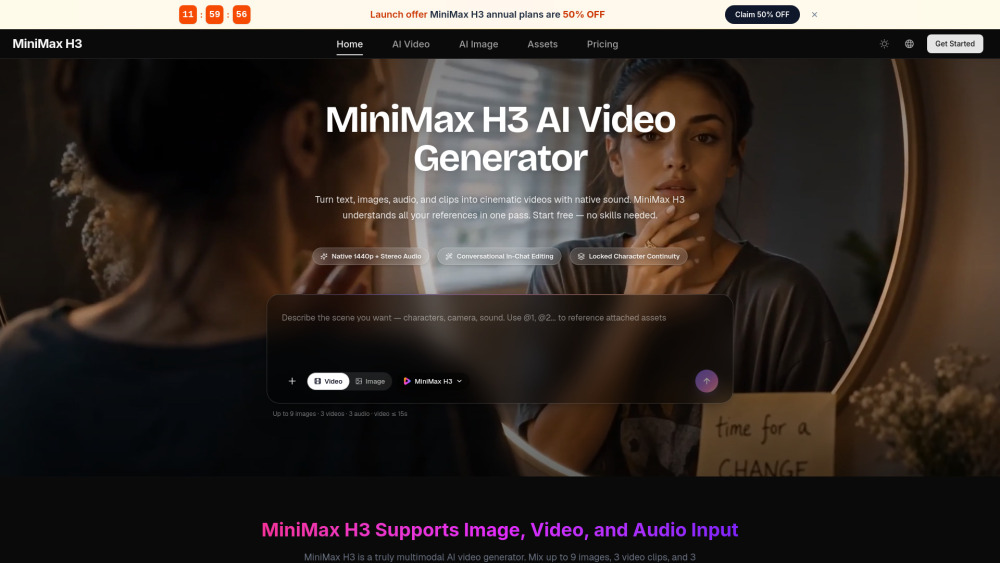
MiniMax H3 makes it surprisingly easy to turn product shots or prompts into polished short videos with sound and quick natural-language edits.

Website
minimaxh3.ai
Categories
Reviews of Minimax H3
4.2
Pro
Con
The 5–15 second sweet spot is great for ads, but anyone chasing longer stories may feel like they bought a movie camera with a timer.
Introduction
MiniMax H3 is a strong fit for creators who need short, polished clips without juggling separate video, audio, and editing tools. It turns prompts, images, clips, and audio into 5–15 second cinematic videos with stereo sound, then refines them through simple edit instructions. Useful for marketers, game teams, and social creators.
What is the most typical application scenario of Minimax H3?
A social media marketer can use MiniMax H3 to turn product images and prompts into polished 5–15 second video ads with sound, cutting production time.
Features of Minimax H3
Generate short videos from prompts, images, clips, or audio
Add stereo sound with dialogue, music, effects, and ambience
Revise scenes with natural-language editing commands
Preserve characters and blend references across inputs
Export up to 1440p in common aspect ratios
Use cases for Minimax H3
Produce product demos, launch ads, and social video creatives
Turn photos or illustrations into animated short clips
Create game character promos, CG shots, and UI walkthroughs
Rework existing footage with new outfits, scenes, or dialogue
Build trailers, pitch reels, brand films, and short dramas
Pricing info of Minimax H3
FreemiumPricing information provided by the submitter.