Nav4AI
AllImageImageTextEditor
ImageTextEditor

ImageTextEditor

Browser-based tool for editing, removing, extracting, and translating image text

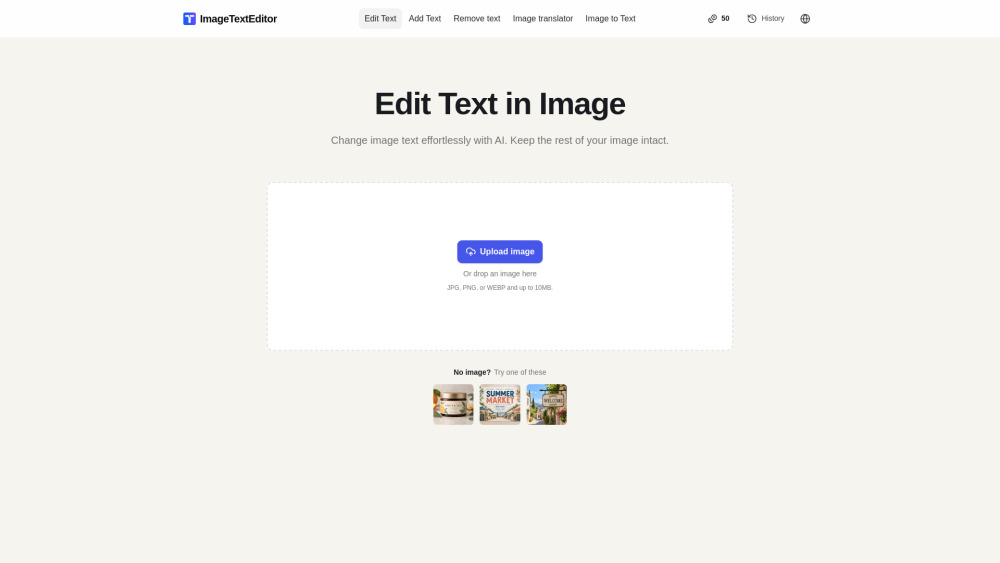
ImageTextEditor screenshot

Reviews of ImageTextEditor

4.2
Pro

ImageTextEditor makes last-minute fixes to baked-in image text feel quick and approachable, especially for posters, labels, and social graphics.

Con

The daily free credits are nice, but power users may hit the ceiling right when the typo is on fire.

Introduction

ImageTextEditor is a handy browser tool for fixing text that’s already baked into images. Upload a JPG, PNG, or WEBP, then replace, add, remove, extract, or translate wording without needing the original design file. It’s useful for marketers, creators, and anyone cleaning up posters, labels, screenshots, or social graphics.

What is the most typical application scenario of ImageTextEditor?

A social media marketer can quickly replace typo-ridden text in finished promo graphics without the source file, saving time on last-minute content updates.

Features of ImageTextEditor

    Edit existing image text while preserving the surrounding background

    Add new wording or erase unwanted text from JPG, PNG, and WEBP files

    Convert text in images into editable, copyable text

    Translate image text and review it directly in visual context

    Upload images in-browser with support for files up to 10 MB

Use cases for ImageTextEditor

    Fix typos, names, dates, or headlines in finished posters and graphics

    Refresh product labels, promos, or announcements without source files

    Add captions or short text overlays to social posts and personal photos

    Remove outdated or incorrect wording from published image assets

    Extract or translate text from screenshots, signs, and printed materials

Pricing info of ImageTextEditor

Free

Public pricing information collected from the official website.

imagetexteditor.ai Pricing

Free to try each day

Free
  • Edit text in any image in seconds
  • Replace, remove, or rewrite text inside photos and screenshots
  • Add text to image content
  • Remove text from image content
  • Extract text from image content into editable text
  • Translate text in image content
Limits: Free credits that reset daily, according to the available service allowance · Upload JPG, PNG, or WEBP images up to 10MB

Last checked Oct 29, 2026. Visit the official website for the latest terms.