
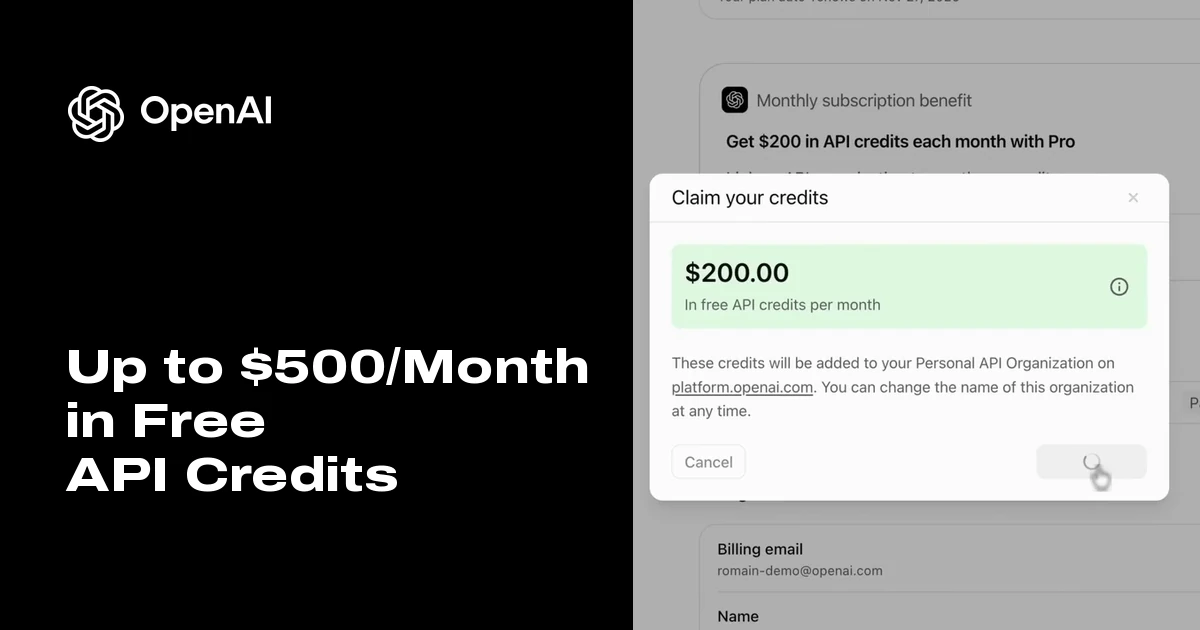
ChatGPT Pro now includes up to $500 a month in free API credits: how indie developers can make it count
Hi everyone, I'm Frank, an indie developer.
On October 28, 2026, OpenAI's developer account @OpenAIDevs announced on X: "Starting today, eligible ChatGPT Pro and Business subscribers can claim up to $500 per month in API credits to build apps and agents."
Put simply, ChatGPT subscriptions and the API used to be two separate bills. Now the subscription itself comes with a "development budget" that refreshes every month. For indie developers and small teams, used well, it is like getting a free lab every month.
Who qualifies, and how much?
According to OpenAI's Help Center:
- Pro: the $100, $200 and $500 tiers receive $100 / $200 / $500 in API credits per monthly billing period, matching the tier.
- Business workspaces: $20 per paid Standard seat and $100 per paid Premium seat, pooled across the workspace and capped at $500 per month. For example, 5 Standard + 3 Premium seats add up to $400; 10 Standard + 4 Premium seats would be $600, but the workspace gets $500.
- Annually billed Business: the full year's grant arrives at once, capped at $6,000 per annual billing cycle.
- Not eligible: Plus and free trials do not qualify, and Enterprise, Edu and legacy Codex seats are not covered by this offer either.
- Requirement: your paid subscription must have been active for at least 7 days before claiming. OpenAI also notes that availability depends on the rollout cohort and your country.
How to claim
There are two entry points with the same result:
- In ChatGPT: for Pro, open Settings → Billing; for Business, an owner opens the workspace billing settings or the Admin Console. Find the API credits benefit, choose the API organization that will receive the credits and confirm.
- In the API Platform: sign in with the same email, select an organization you own, open Billing, find the benefit, select the matching subscription or workspace and confirm.
Before you claim, double-check a few things:
- The ChatGPT account and the API account must use the same email address.
- The person claiming must be an owner on both sides: for Pro, the subscription owner and an owner of the receiving API organization; for Business, an owner of both the ChatGPT workspace and the API organization. Being a member or an admin is not enough. You also need permission to manage billing in the API organization.
- One-to-one link: one subscription (or workspace) can link to only one API organization, and an API organization can have only one such active link, so choose carefully.
- New to the API? That's fine: you can link the benefit to your Personal API Organization.
After that, credits are granted automatically each time the subscription renews. You don't need to claim again every month.
Know the pitfalls first
- No rollover: monthly credits expire at the end of the billing cycle, and anything unused is lost. The first grant is prorated for the time left in the current period, which is why many people see less than their tier amount the first time. That is expected.
- Running out returns a 429: you don't need an API payment method to use these credits. But if the free credits are used up and you have no purchased credits, requests fail with HTTP 429 and the error code
credit_balance_exhausted. If purchased credits remain, requests keep drawing on them. - Rate limits still apply: a credit balance does not lift request-rate, token-rate, model or organization limits.
- Codex is not covered: the credits cannot be used for Codex via API keys, and they do not raise your ChatGPT or signed-in Codex usage limits. If you hoped to run more Codex with them, you'll be disappointed.
- Teammates don't get access automatically: a Business member's ChatGPT seat does not grant access to the API organization or its projects. You have to add people separately.
- It can change at any time: OpenAI states clearly that the benefit may change or be removed in the future.
The credits cover these paid APIs: Responses and Chat Completions, Agents, Realtime and GPT-Live, Images, and built-in tools (including their usage and storage charges).
The key part: how developers can use this money to build better products
A few hundred dollars a month isn't a fortune, but for an indie developer it covers exactly the experiments you want to try but hesitate to pay for. Here are some concrete ideas:
1. Prototype agents quickly
An agent idea used to require a cost estimate before you dared to start. Now you can wire up the whole flow with Agents and built-in tools (search, file search, code execution and so on). Give each idea a week and a small budget: if it doesn't work, cut it; if it does, then optimize it properly.
2. Run systematic evals and model A/B tests
Many small teams pick models by gut feeling. Turn real user requests into a fixed test set and run the same batch across different models, reasoning efforts and prompts, recording quality, latency and cost. With that data you'll know which features are fine on a cheaper model and which deserve a stronger one. The savings from this step often exceed the credits themselves.
3. Try Realtime voice features
Real-time voice has long been the feature everyone wants but fears will burn cash. Use the credits to build a small voice entry point: voice support, speaking practice, or real-time dubbing and translation previews in a video product. Let a small group of early users try it, and decide on a full launch based on retention.
4. Add image generation
The Images API is covered too. Content products can try automatically generating covers, illustrations and storyboard sketches; tool sites can offer a small "one-click image" feature. Use the credits to validate whether users want it, and whether they'll pay for it.
5. Offer early users a free tier
The hardest part of a new product is getting the first people to try it. Set aside part of the credits for a capped free tier for early users, for example a few uses per person per day. The key is to set per-user limits and watch consumption in real time, so a handful of heavy users can't burn through the whole month's credits at once.
6. Build internal tools and automation
Not every credit has to be spent on users. Internal productivity is just as worthwhile: auto-sorting user feedback, batch-writing multilingual copy and SEO descriptions, tagging support emails, generating daily data reports. These workloads are steady and low-risk, which makes them a good way to use credits that don't roll over.
7. Guard against the 429 in advance
This is the one people forget most often. Once the credits run out, requests return credit_balance_exhausted right away, and without handling, users simply see a feature stop working. Recommendations:
- Detect this error code explicitly in your code and handle it separately from ordinary rate-limit 429s;
- Prepare a fallback: switch to a cheaper model, queue the job for later, or show users a friendly message;
- Set up balance alerts so you're notified before the credits run low;
- If the service can't stop, prepay some API credits or enable Auto Recharge, but remember to set a monthly limit.
8. Plan your budget so production doesn't depend on a perk
Treat these credits as an "R&D and growth budget", not as the cost basis for production. OpenAI has already said the benefit may change or be removed. If production relies entirely on it, a policy change could make your costs spike overnight. The safer approach: work out each feature's unit cost at normal API prices, confirm the product is profitable or at least sustainable without the credits, and then treat the credits as an extra buffer.
Nav4AI's take
At its core, this benefit is OpenAI pulling subscribers into the API ecosystem: get you using it for free, and once your product takes off, you naturally become a long-term API customer. For indie developers there's no need to overthink it: claim it, but spend it with a plan. Use it for prototypes, evals, new features and a cushion for early users, and prepare 429 fallbacks and an independent budget ahead of time. Free credits are best used to validate ideas, not to become something your product depends on.