
ChatGPT Images 2.6: GIFs, reference images, and faster API models
Hi everyone, I'm Frank, an indie developer.
On November 4, 2026, OpenAI shipped ChatGPT Images 2.6 in ChatGPT and Codex, and paired it with two API models: gpt-image-2.6-flare and gpt-image-2.6-sunburst. The company pitch is familiar—faster images, tighter edits—but the useful part for creators and builders is narrower: native GIFs for distribution, reusable reference photos in ChatGPT, and API paths for static SVG plus markup-guided edits, with a few hard limits you should know before you migrate a pipeline.
OpenAI’s own announcement post summed it up as “GIFs and reference images,” plus “two new models… with 50% faster image generation.” The longer write-up is on the Images 2.6 blog post. Below I separate what OpenAI states, what the developer docs lock in, and what early community workflows are trying—without treating every viral claim as a product guarantee.
What actually shipped (ChatGPT vs the API)
In ChatGPT and Codex, Images 2.6 is described as available globally across subscription tiers on desktop, mobile, and web. The ChatGPT release notes call out two product features:
- GIF creation is rolling out. You can ask for a looping animation or upload a sketch/still and ask ChatGPT to animate it. You can adjust playback speed, save, or share. OpenAI’s help article is explicit on one constraint: ChatGPT can’t edit an animated GIF you upload—keep a still source if you need further edits.
- Saved reference images. Upload a photo, name it, and reuse it later with
@Name(the help example is a dog saved as Pepper, then “a watercolor portrait of @Pepper”).
The API side is a different surface. The API changelog for Nov 4 lists gpt-image-2.6-sunburst and gpt-image-2.6-flare for image generation and editing, with adjustable complexity, SVG generation, animated GIF generation, and markup-guided editing (also noted for supported 2.5 models). Critically, the official Flare and Sunburst model pages show only v1/images/generations and v1/images/edits as supported. Chat Completions, Responses, and Batch are listed as not supported. If your production stack relies on the Responses image tool or Batch half-price runs, treat 2.6 as an Images-API-only upgrade until OpenAI changes those pages—not as a drop-in for every 2.5 path.
OpenAI’s marketing claim is that Images 2.6 generates images 50% faster than before, and that Flare can produce an image in as little as six seconds when quality is set to low. Sunburst is positioned for higher detail and stronger consistency across edits when quality is medium or high. Those are OpenAI’s conditions; they are not independent lab benchmarks.
GIFs: motion as a distribution format
The interesting GIF story is not “AI can animate.” It is that short loops are how a lot of product marketing, memes, and ads already travel—Slack, Meta placements, storefronts, stickers—so a model that outputs a finished loop (and lets you retune it in chat) collapses a multi-tool path into one place.
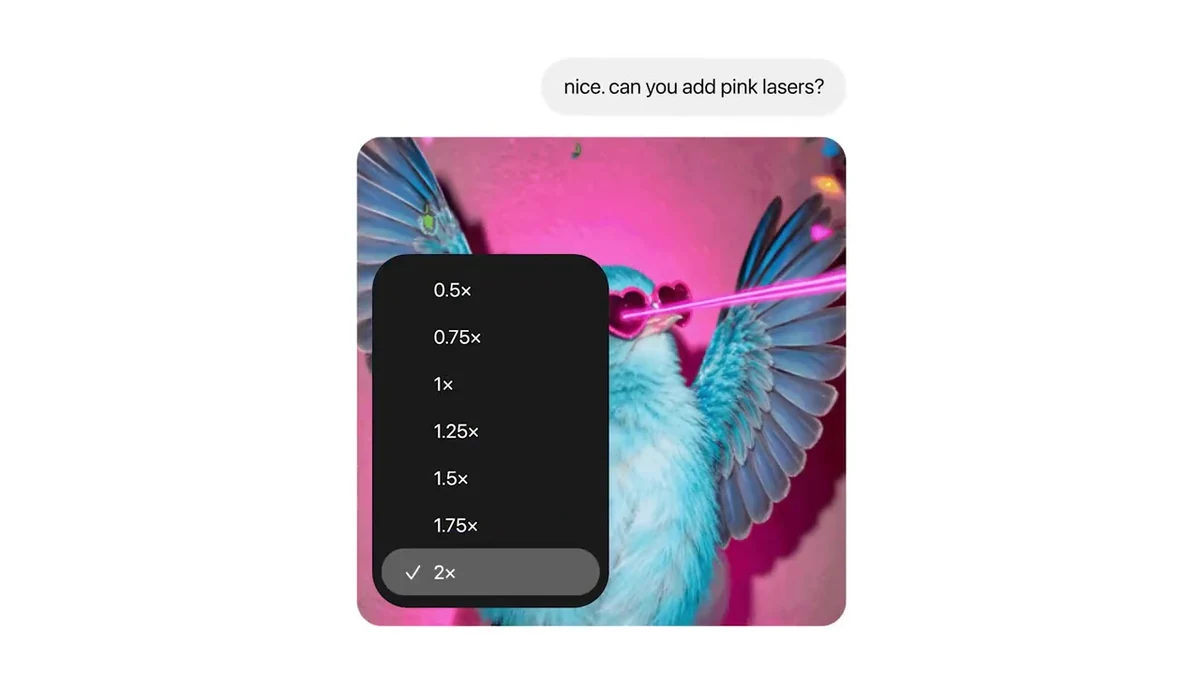
In ChatGPT, the help center says you describe the motion (or animate a still), then open the GIF to change speed. OpenAI’s launch video shows the speed control UI with options from 0.5x through 2x. You can continue editing a GIF ChatGPT created with follow-up prompts; you still cannot treat an uploaded finished GIF as an editable source.
On the API, set output_format: "gif" on generations or edits. The image generation guide documents frame_count (2–16, default 9) and frame_duration_ms (20–2000, rounded to 10 ms, default 200). GIF output does not support streaming, partial images, custom output_compression, or prompt_rewriter. OpenAI’s docs sample is a lantern animation from Sunburst; creators on X are already bridging ChatGPT GIFs into other video tools (for example feeding a loop into Minimax via a local bridge). That is a user workflow, not an OpenAI-guaranteed video model feature.
Expect uneven quality on hard motion. At least one early tester reported a blurred multi-pose GIF after feeding several pose references, while a sprite sheet from the same attempt looked fine—another reminder to keep intermediate stills.
Reference images: consistency without re-uploading
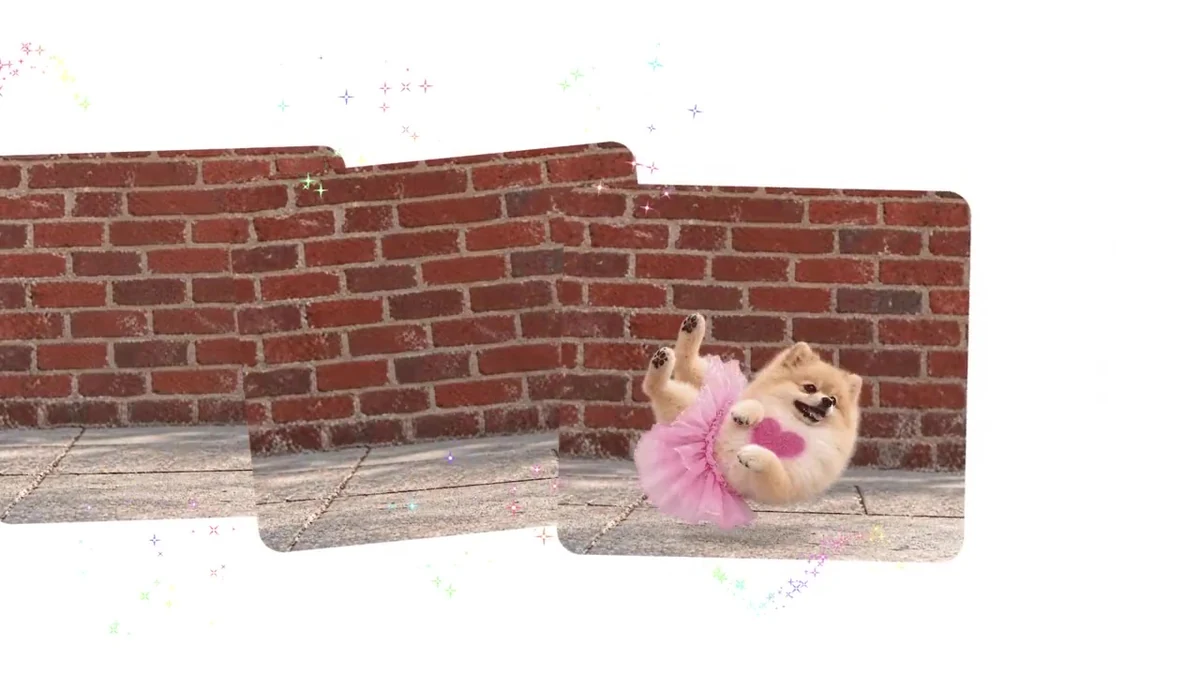
ChatGPT’s saved references matter because character and product consistency was the boring failure mode of earlier image chats: you re-uploaded the same selfie, packaging shot, or mascot every session and still drifted. Naming a reference and calling it with @Name is a product fix for that habit. The blog also stresses keeping characters, products, and brand details consistent as you edit; help docs illustrate detail preservation with examples like keeping an outfit when you change the background.
In the API, reference images are inputs you attach to each applicable request—most often on the image edits endpoint (for example multi-image references or stills that guide a GIF)—not ChatGPT’s saved @Name library. Markup (below) is the new precision layer on edits. Do not assume ChatGPT @Name references sync into your API org; they are different products that share a model family.
SVG: editable assets, generation-only
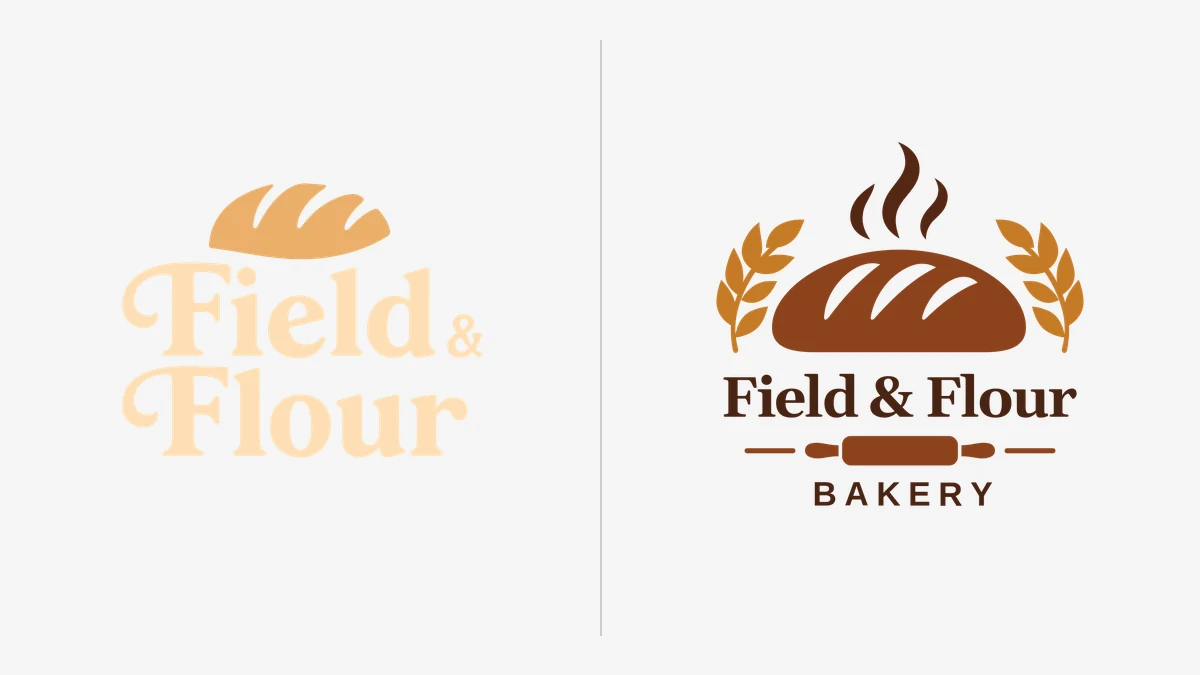
SVG is the quiet developer win. OpenAI documents output_format: "svg" on POST /v1/images/generations only. Constraints that matter in production:
- Set
nto 1. - No streaming, partial images,
output_compression, orprompt_rewriter. - The edit endpoint does not support SVG output, and an SVG is not a supported raster input for edits.
- The returned document is static vector content—no scripts, external resources, or embedded rasters.
- Under the hood, the API builds a reference raster then authors SVG; you pay image-model tokens for the reference and authoring-model tokens for the vector pass.
That package is ideal for icons, simple logos, and print/web marks you want to open in Figma or Illustrator. It is a poor fit if you expected animated SVG, post-edit vector cleanup in the same endpoint, or Batch-discounted overnight logo farms (Batch is unsupported on these model IDs today).
Flare, Sunburst, markup, and the fine print
Flare vs Sunburst. Same token price list on the model pages: $5 / 1M text input ($1.25 cached), $8 / 1M image input ($2 cached), $30 / 1M image output. OpenAI recommends Flare when latency matters and Sunburst when detail and edit consistency matter. Complexity (low / medium / high, default high) controls how much planning the model does; quality controls fidelity. Complexity has no separate fee. For most edits, OpenAI suggests low complexity plus whatever quality your workflow needs.
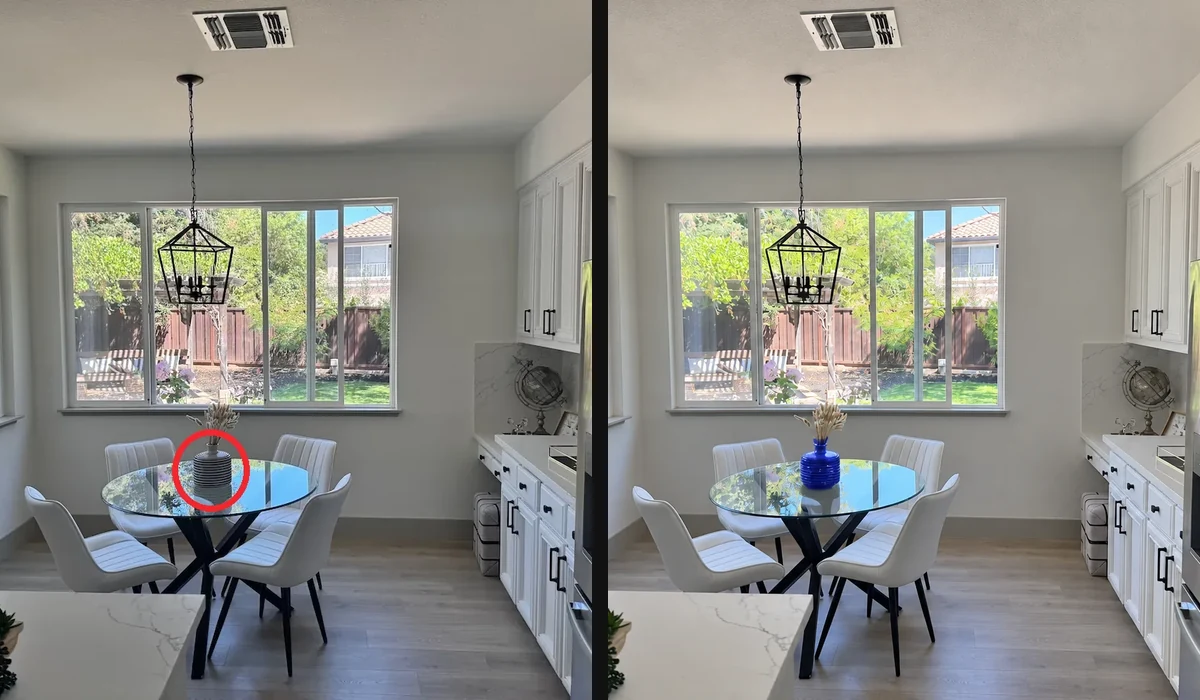
Markup brings ChatGPT-style pinpoint edits to the Images API: send the original as the first image and a same-size transparent PNG as markup, and describe the change. Do not combine markup with mask or prompt_rewriter. Markup uses normal edit token rates—no surcharge.
Limits to design around:
- 2.6 Flare/Sunburst: Images API only (generations + edits). Not Responses, not Chat Completions, not Batch (per model pages as of this draft).
- Same listed token rates as 2.5, but no Batch half-price tier while Batch remains unsupported—shops that depended on Batch discounts may rationally stay on 2.5 for bulk jobs.
- SVG is generation-only and static.
- ChatGPT cannot edit uploaded animated GIFs; GIF rollout in ChatGPT is gradual.
- OpenAI still notes struggles with text, complex layouts, and character consistency in places; the system card adds GIF-specific safety evaluations because motion can change meaning across frames.
Early reactions (selective)
A few verified posts, kept short:
- @cocktailpeanut showed a 15-second ChatGPT GIF fed into Minimax H3 through Maestro—interesting as a *bridge* into longer video, not as a claim that Images 2.6 is a video model.
- @hone_sns liked native GIF output but hit blur when forcing multi-pose references into one GIF, while the sprite sheet looked fine—useful quality caveat.
- @rkanaliz said prior visual workflows broke for them after the update—anecdotal, but a reminder to re-test production prompts.
- Partner quotes on OpenAI’s blog (OpenArt’s Coco Mao on GIFs for social; Figma Weave’s Itay Schiff on speed plus control) are promotional, not benchmarks.
Practical takeaway
If you make social or ad loops, try ChatGPT GIFs plus saved @ references first, and keep still masters. If you ship product UI or brand systems, prototype SVG from Flare/Sunburst on the Images API and edit rasters with markup, noting that Batch and Responses are not supported for these model IDs yet. Read the image generation guide, the system card, and the model pages before you rewrite billing assumptions.
Images 2.6 is less a magic upgrade than a clearer split: ChatGPT gets distribution-friendly motion and sticky references; the API gets faster Flare/Sunburst knobs, static SVG, and markup—inside a deliberately narrow endpoint box.